Documentation / Getting started
01 / OPEN THE SCRIPTS PANEL
Window → Utilities → Scripts
In Adobe InDesign, open the Scripts panel from the Window menu.

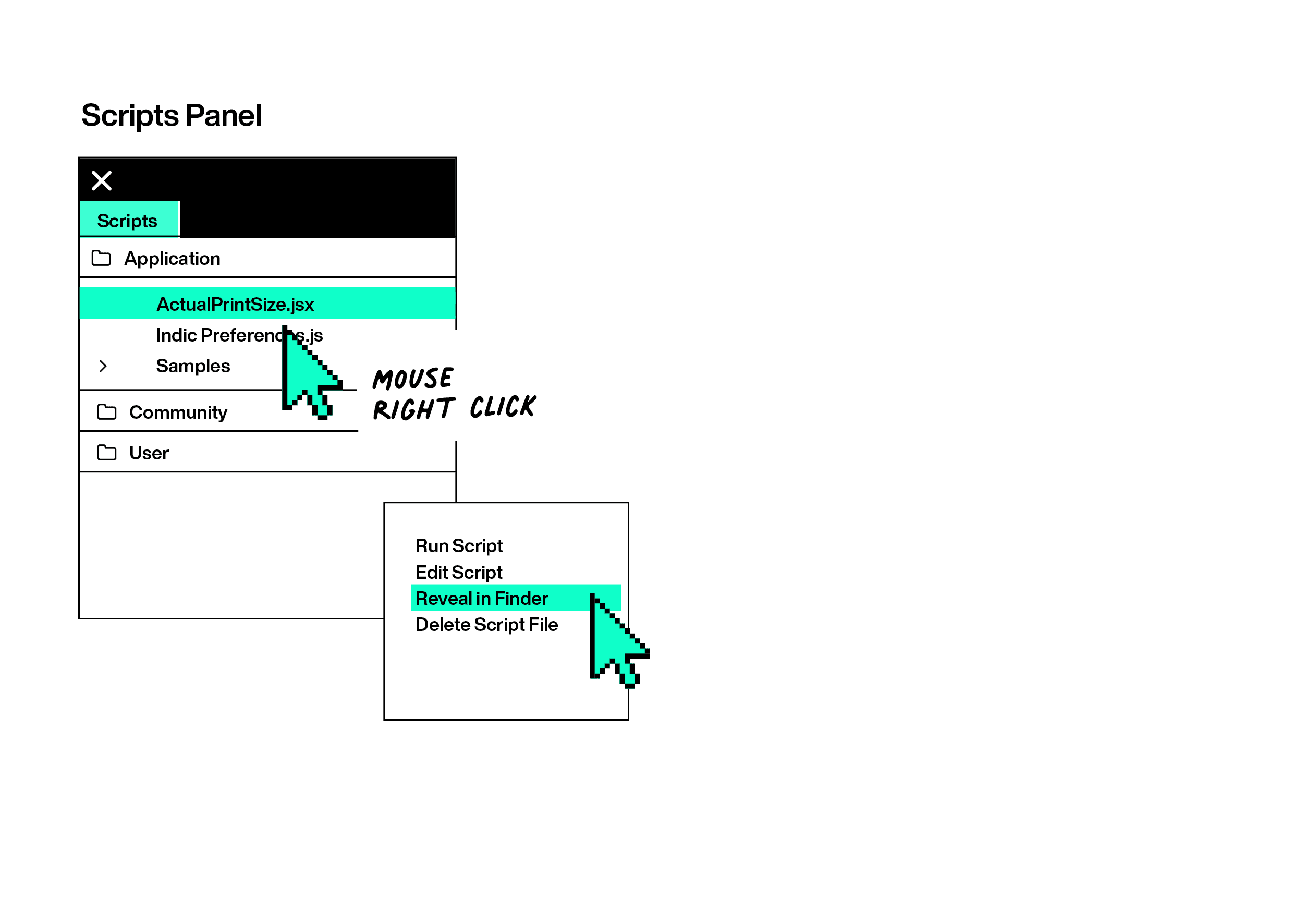
02 / REVEAL THE SCRIPTS PANEL FOLDER
Reveal the folder in Finder or Explorer.
Right-click any existing script and choose Reveal in Finder or Reveal in Explorer.
03 / INSTALL
Move the .jsx file into the Scripts Panel folder.
Copy or drag the downloaded script file into the folder. It will appear in InDesign immediately.

04 / RUN
Double-click the script to run it.
Keep the Scripts panel open for quick access whenever you need the tool.
